
Say the job.
Send the invoice.
Talk, paste the client's email or upload the job sheet. Check it and send it.
Try it free, no sign-upNothing to install. 5 free a month.
"Invoice for John Smith at 12 High Street. Three hours at 85 an hour. One vanity unit at 640 and a basin mixer at 189."
Hi, can you replace the vanity and the mixer in the ensuite at 40 Marine Parade? Same as you did at our other place. Thanks, John
Your client gets this
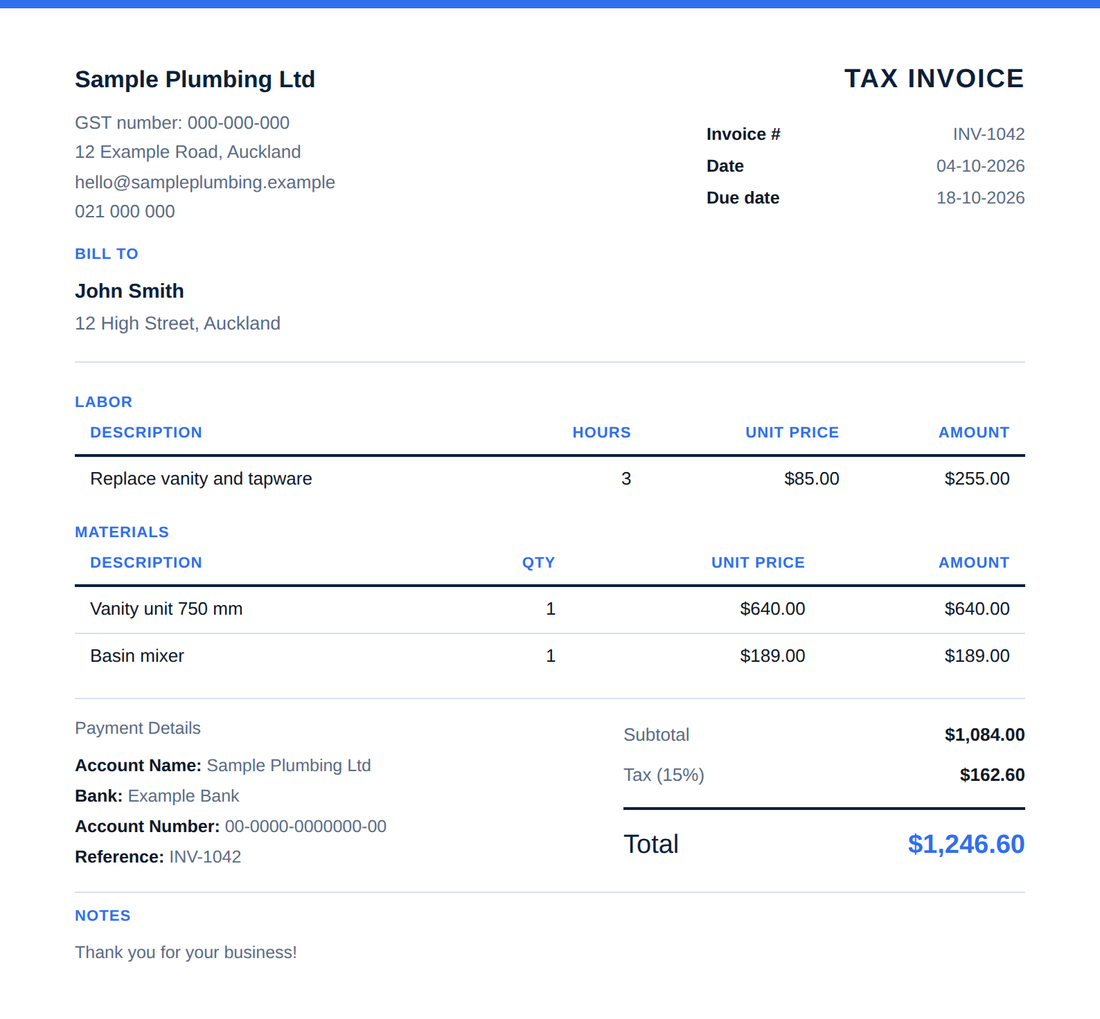 See the whole invoice
A sample invoice, with your logo, GST and a scan-to-pay QR code.
Three steps, done before you leave the job
Say it, paste it or upload it
Talk in English or your own language. Or paste the email, or upload the job sheet.
Check it
It's all filled in. If something isn't clear, it asks you, one thing at a time.
Send it
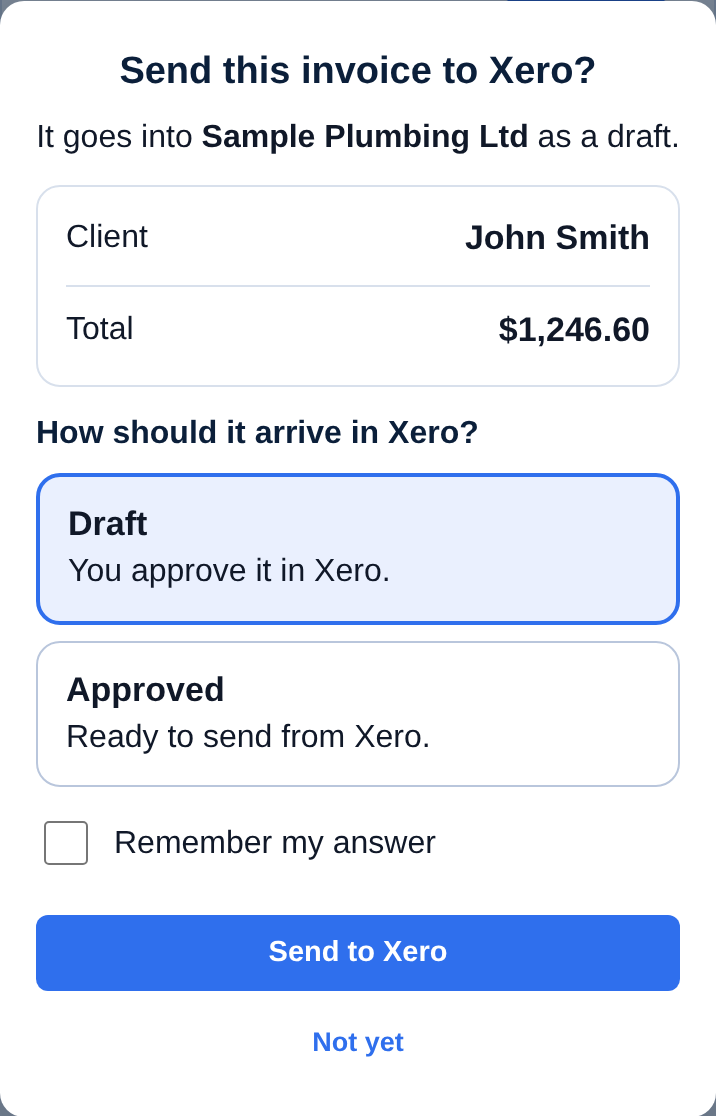
See it as your client will, then email it, save a PDF or send it to Xero.
Then it keeps track for you
- See who still owes you, and send a reminder in one tap. Pro can send them for you.
- Know what you kept each month.
- One file for your accountant at tax time.
The fast way to get your jobs into Xero
With Pro, each invoice goes straight to your Xero.
- It arrives as a draft or approved. You choose
- Xero gives it the next invoice number, so your books stay in one run
- Paid in Xero shows as paid in QuoteForte
- On the free plan, save the week's invoices as one file and import it into Xero
- Tested in New Zealand, not yet in Australia
Free to use. NZ$39 a month if you need more.
Free
Every month. No credit card needed.
- 5 quotes or invoices a month
- Talk, paste or upload to make them
- Calendar, tasks, clients, Money, repeat invoices and the file for your accountant
- Xero import file
Pro
A month. Upgrade in the app when you need more. Cancel any time in the app.
- Unlimited quotes and invoices
- Unlimited voice, receipt scans and email imports
- Send invoices straight to Xero, and see when they're paid there
- Everything in Free
Common questions
Does it connect to Xero?
With Pro, yes. Connect your Xero once in Settings, then tap Send to Xero on each invoice. It arrives as a draft or approved, Xero gives it the next number, and when it's paid in Xero it shows as paid here. On the free plan, the Xero file export makes a file you import into Xero. The Xero guide walks through both.
Does it replace Xero or my accountant?
No. QuoteForte makes your quotes and invoices, and keeps track of who owes you, your costs and your week. It doesn't reconcile your bank, do GST returns or run payroll. If you use Xero, QuoteForte is the quick way to get invoices in. If you don't, send your accountant the Excel file at tax time.
Where is my information kept?
On your own device by default. If you make an account, a copy is kept on our server so your other devices can load it when you sign in. Voice recordings, receipt photos and emails you import are sent to an AI service to be read, and we don't keep them. The privacy page has the details.
Will I know if my client has seen the quote?
Yes, for quotes you email from QuoteForte. Quotes shows when your client opened the quote page from the email, and how many times. If the email didn't arrive (a wrong address, say), it shows that in red, with a button to fix the address and send it again.
What happens when I reach the free limit?
You can still open the app, build documents and use Money and the calendar. Emailing, saving as PDF and the Xero file wait until the allowance resets at the start of the next month, or you can upgrade to Pro.
How do I cancel Pro?
In the app, go to Settings, then Your plan, and tap "Manage or cancel Pro". You keep Pro until the end of the month you've paid for, and you go back to the free plan with nothing deleted. You can also email hello@quoteforte.com and we'll do it for you.
I'm Arthur. I built QuoteForte in Auckland, on my own, for mates in the trades. Something not working? Email hello@quoteforte.com and I'll sort it.
Make your next invoice by talking
The first five each month are free, and there's nothing to install.
Try it free, no sign-up